eGPU Extension Cable
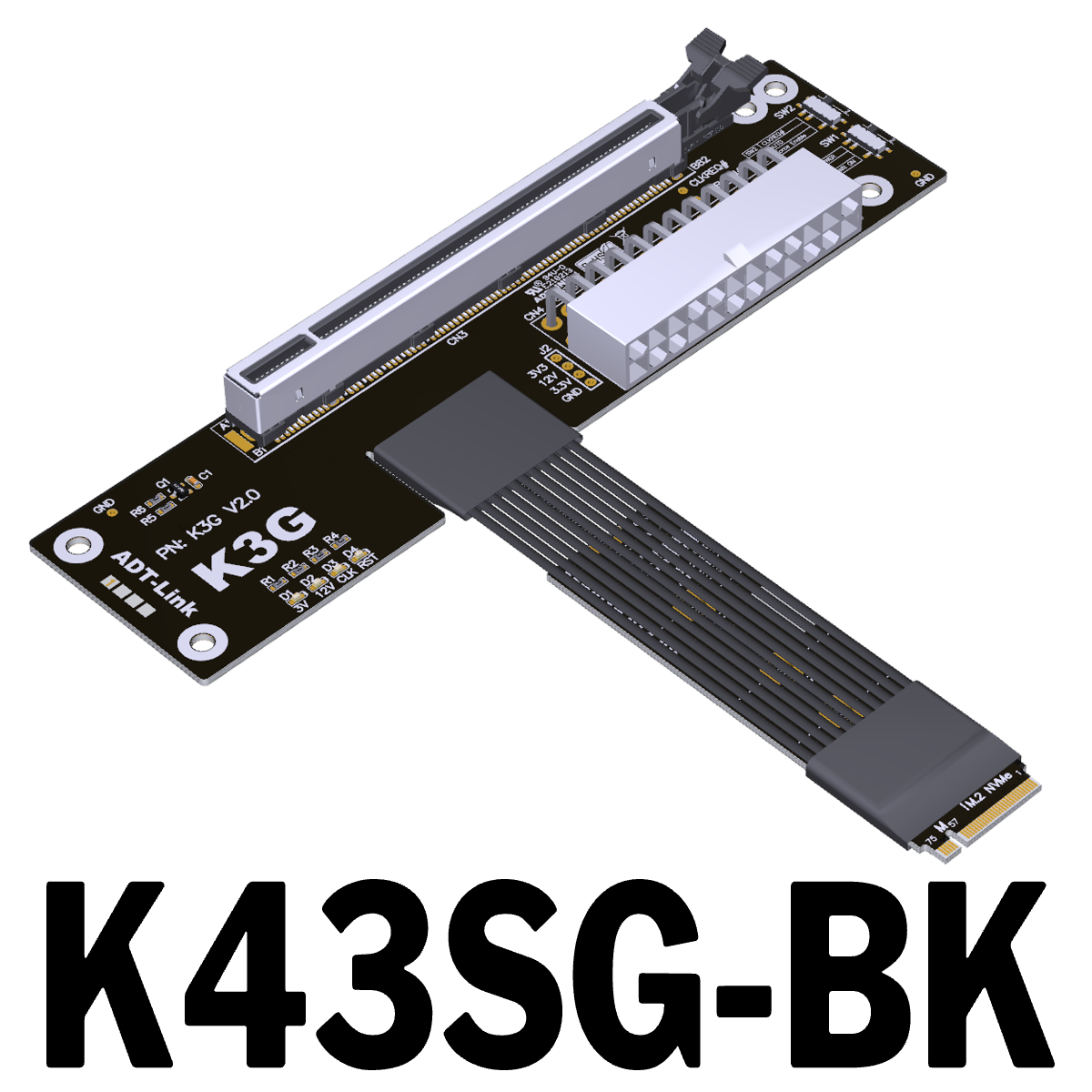
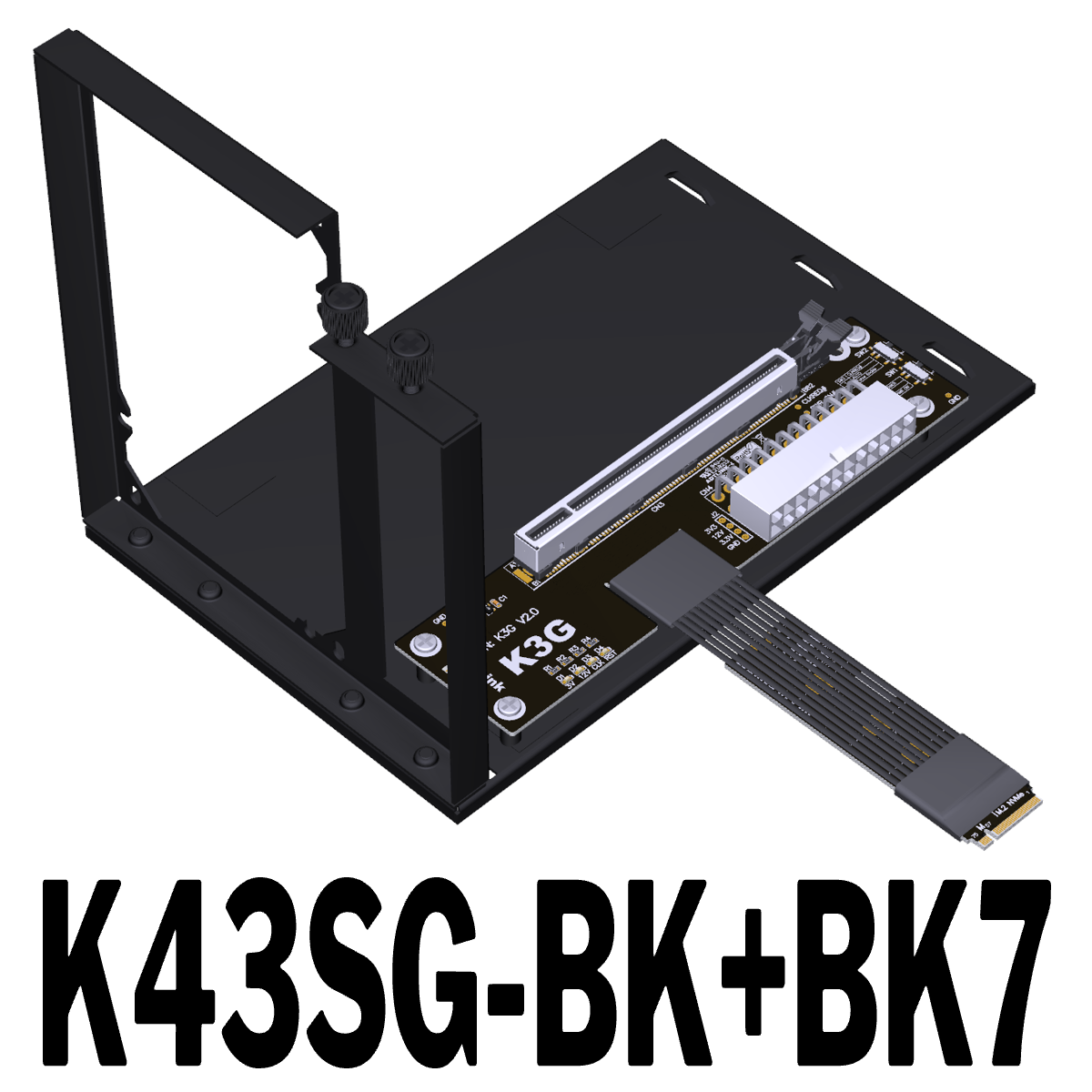
K43SG-BK,K43SG-BK-BK7
- Product ID: K43SG-BK,K43SG-BK-BK7
- Interface: PCIe x16 / M.2 NVMe
- Application: eGPU
- Shelf time:2026-03-10 11:07:19
- Product description: PCIe 5.0 x16 to M.2 NVMe extension adapter for eGPU

|
ADT-Link PCIe 5.0 x16 to M.2 NVMe eGPU Adapter
Brand name: ADT-LINK
Product name: PCIe 5.0 x16 to M.2 M-key extension cable
Product model: K43SG-BK,K43SG-BK-BK7
Transfer speed: PCIe5.0 x4 , 128G/bps (Max.)
Wire length:30cm, 50cm
Application: eGPU for NUC / ITX / STX / Notebook PC
ADT R3G series Part-Number Description:
|
Part-Number |
Description |
| R23SG | PCIe x4 edge to PCIe x16 connector |
|
R43SG |
M.2 NVMe edge to PCIe x16 connector |
| K43SG-BK | M.2 NVMe edge to PCIe x16 connector. |
|
K43SG-BK-BK7 |
M.2 NVMe edge to PCIe x16 connector with a bracket |
| R43SG-TU | M.2 NVMe edge daughter board cable turn up to PCIe x16 connector |
| R53SG |
M.2 WiFi key-A.E. edge to PCIe x16 connector |
| R63SG |
mPCIe edge to PCIe x16 connector |
Q&A:
Is there any EMI shielding for Cable?
With metal shield. The extender utilizes the latest materials for EMI shielding with five sole flat cables design. This technique allows each cable to be fully covered by electromagnetic interference shielding with conducting polymer to guard against incoming or outgoing emissions of electromagnetic frequencies, minimize disturbance and degradation on performance, and reduce the weight of the extender.
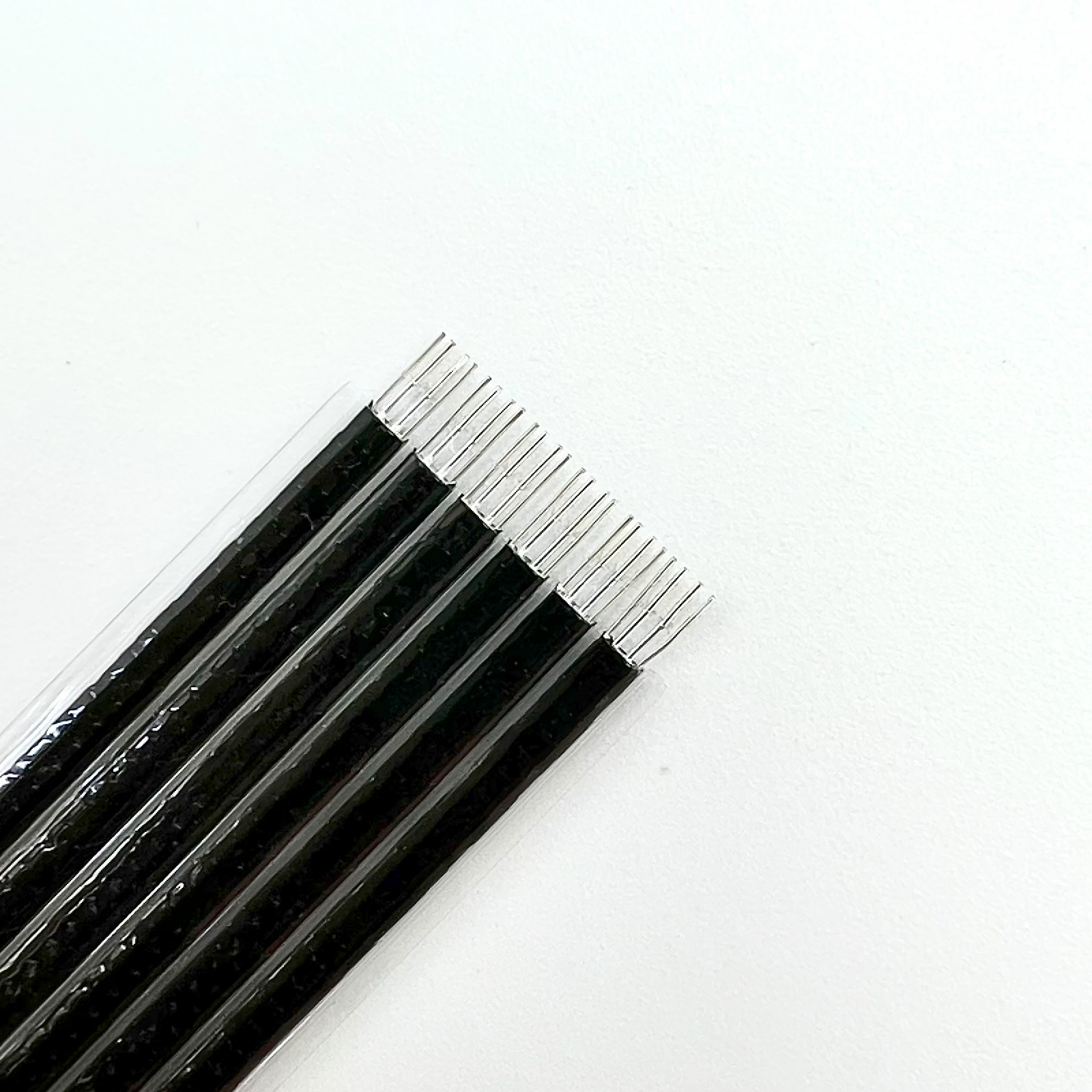
What is the thickness of the cable? Is it soft? Can it be bent?
The wire is the fifth generation PCIe dedicated wire independently developed by ADT, with a diameter of only 0.8mm, which can be bent freely without affecting its use.
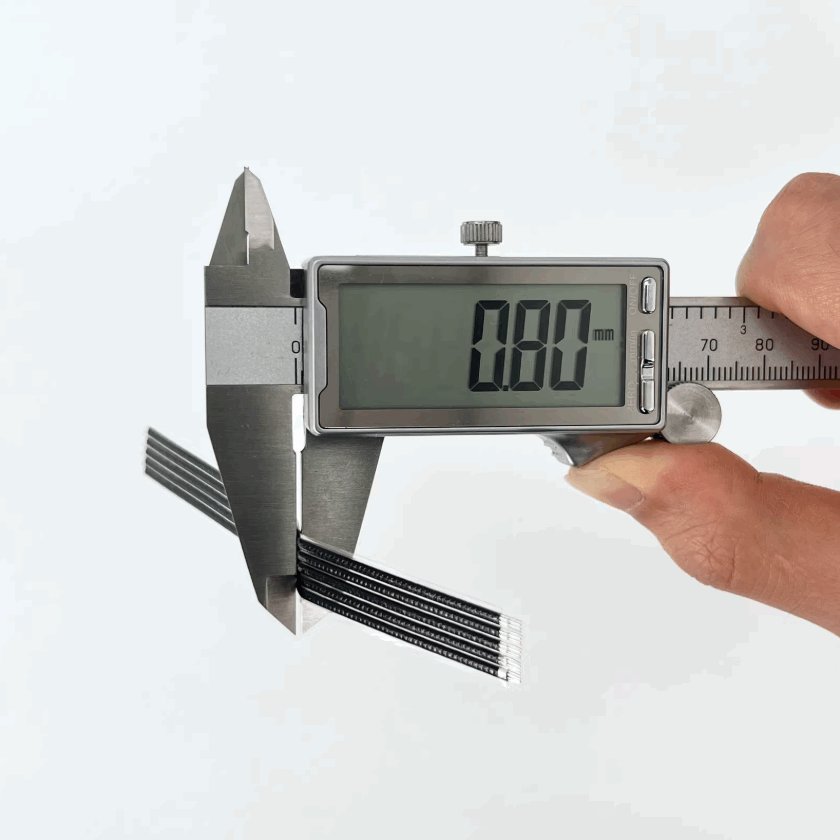

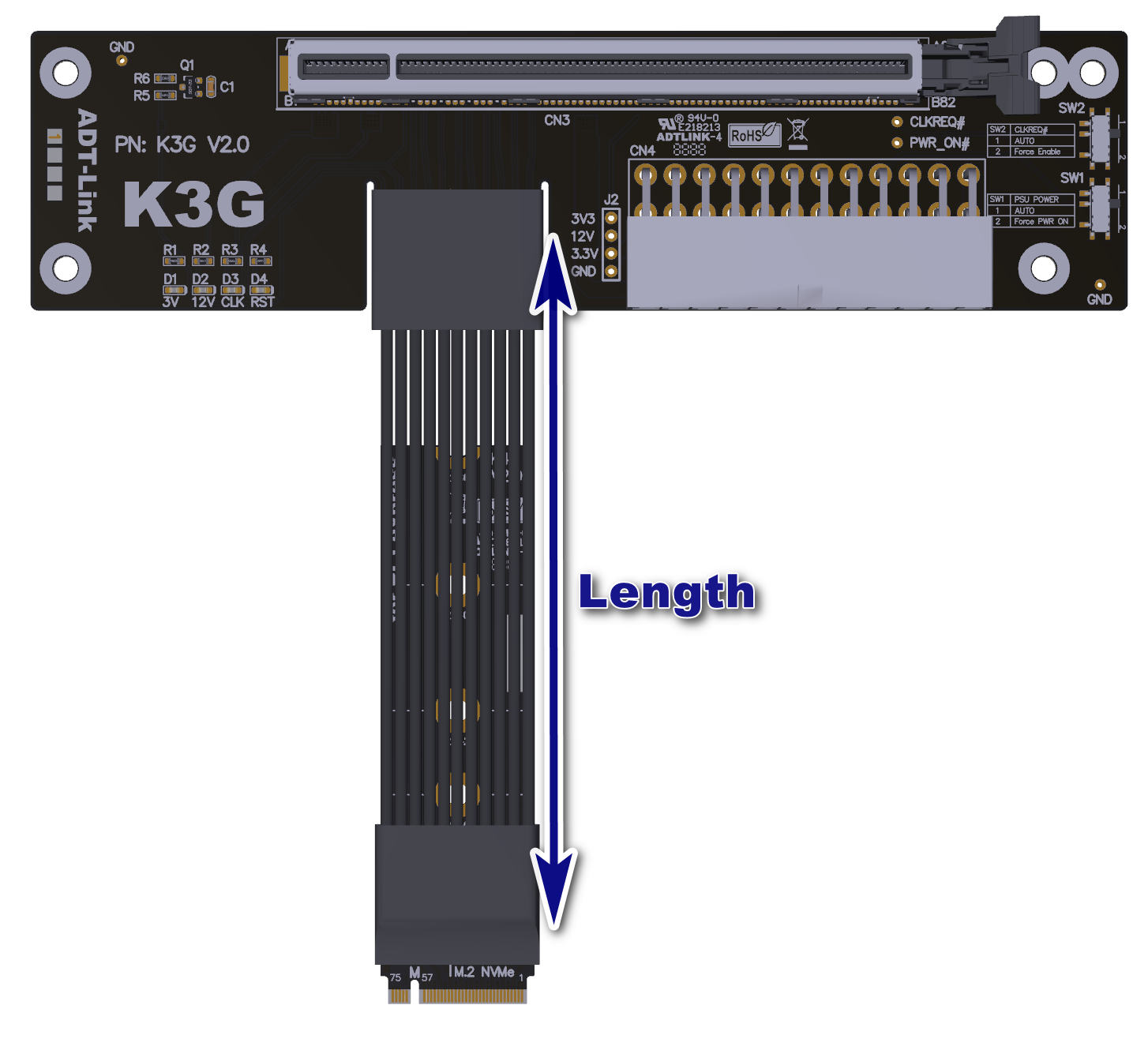
Cable Length Description:
The length of the wire refers to the part of the visible wire. It does not include the PCB and the connector. For the wire length, please refer to the 5cm blue arrow in the figure below.
Power Supply Description:
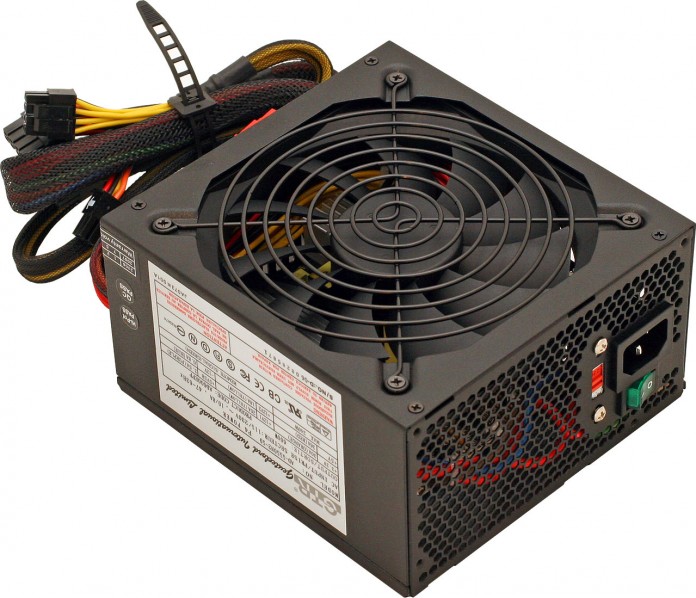
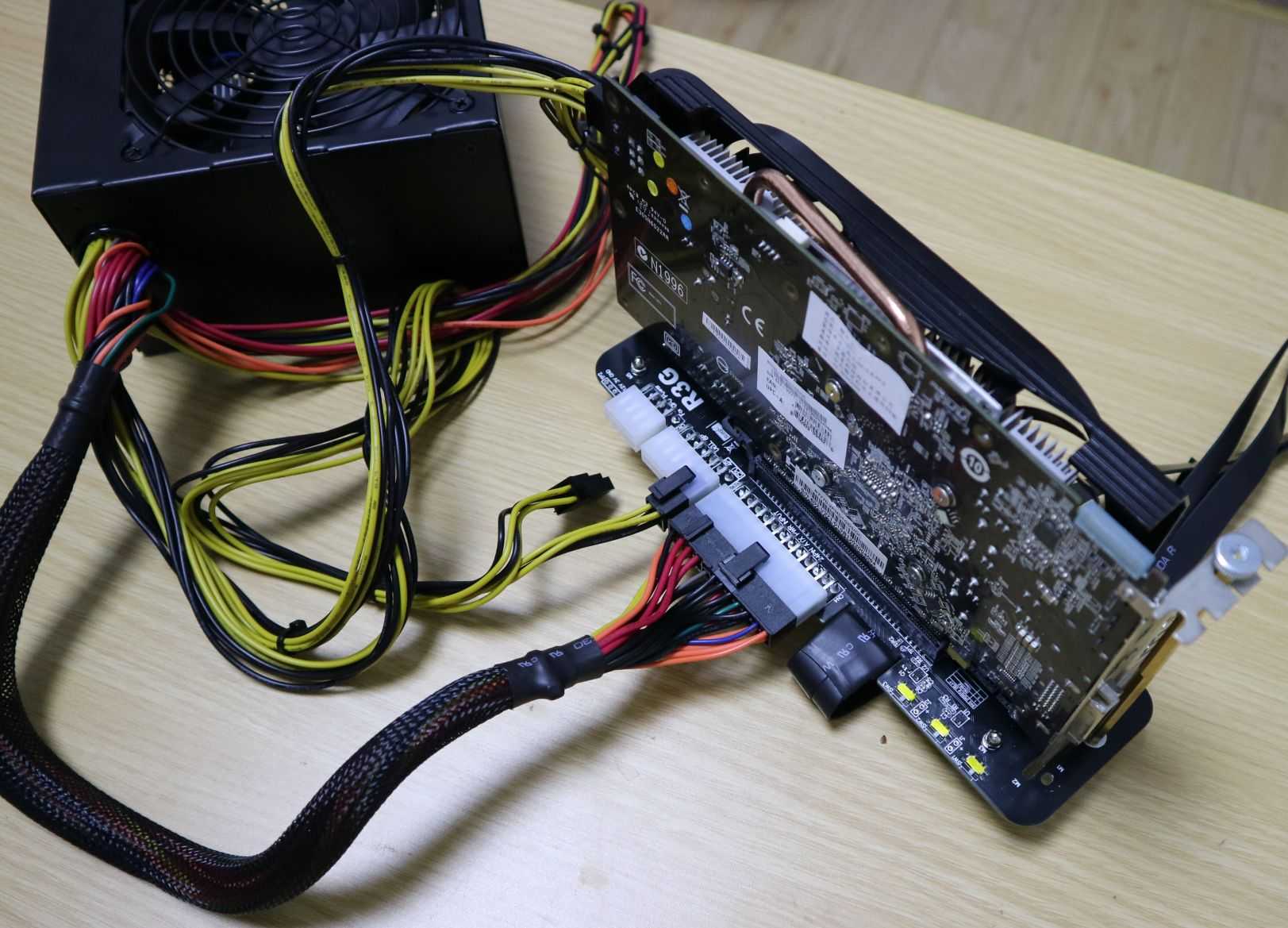
Supporting power supply is standard ATX power supply. The power supply should be prepared by the buyer or purchased separately.
24P_ATX and 4P_CPU power input, Dual 8P_GPU power output.
What are the two switches on the ADT K3G 5.0 for?
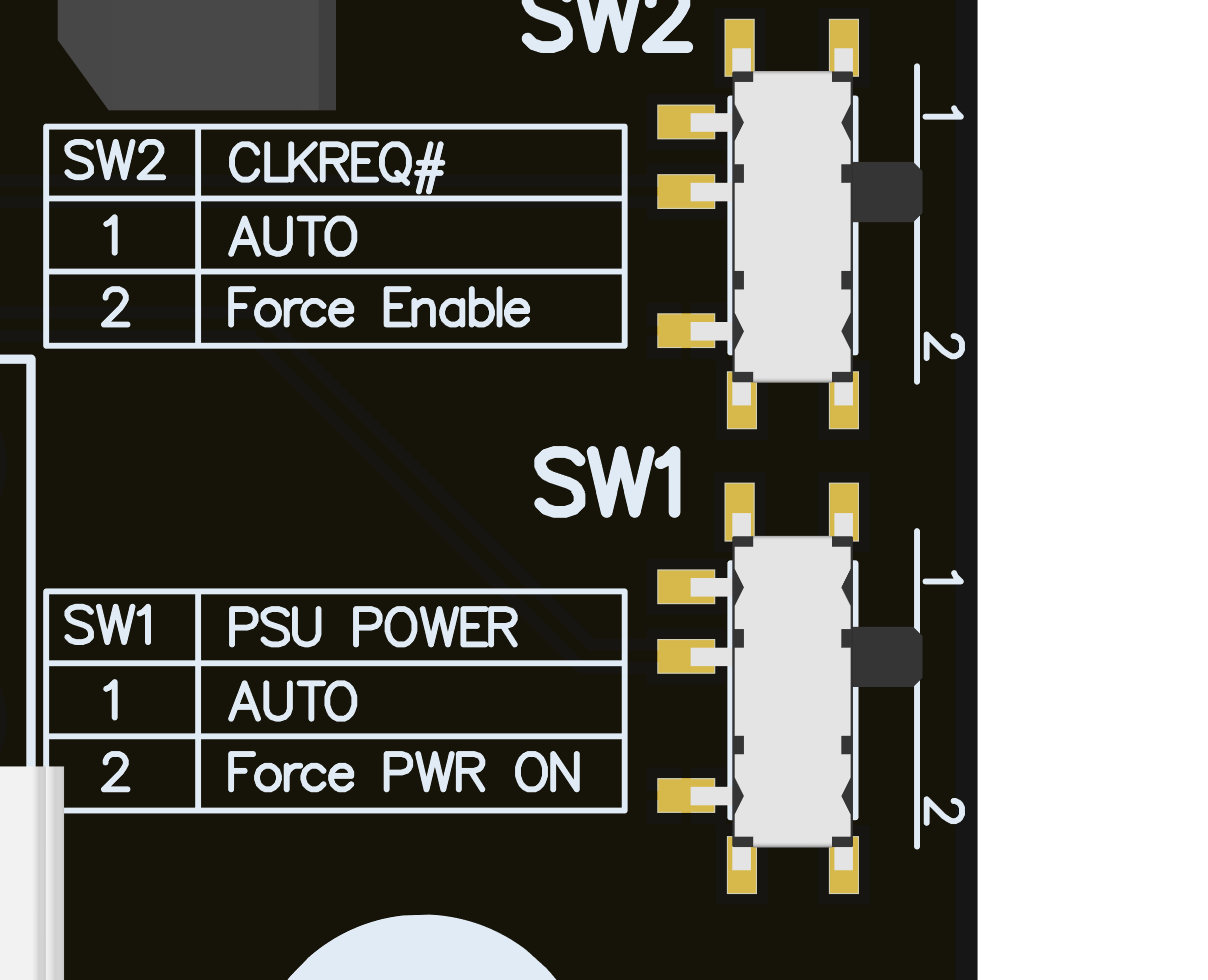
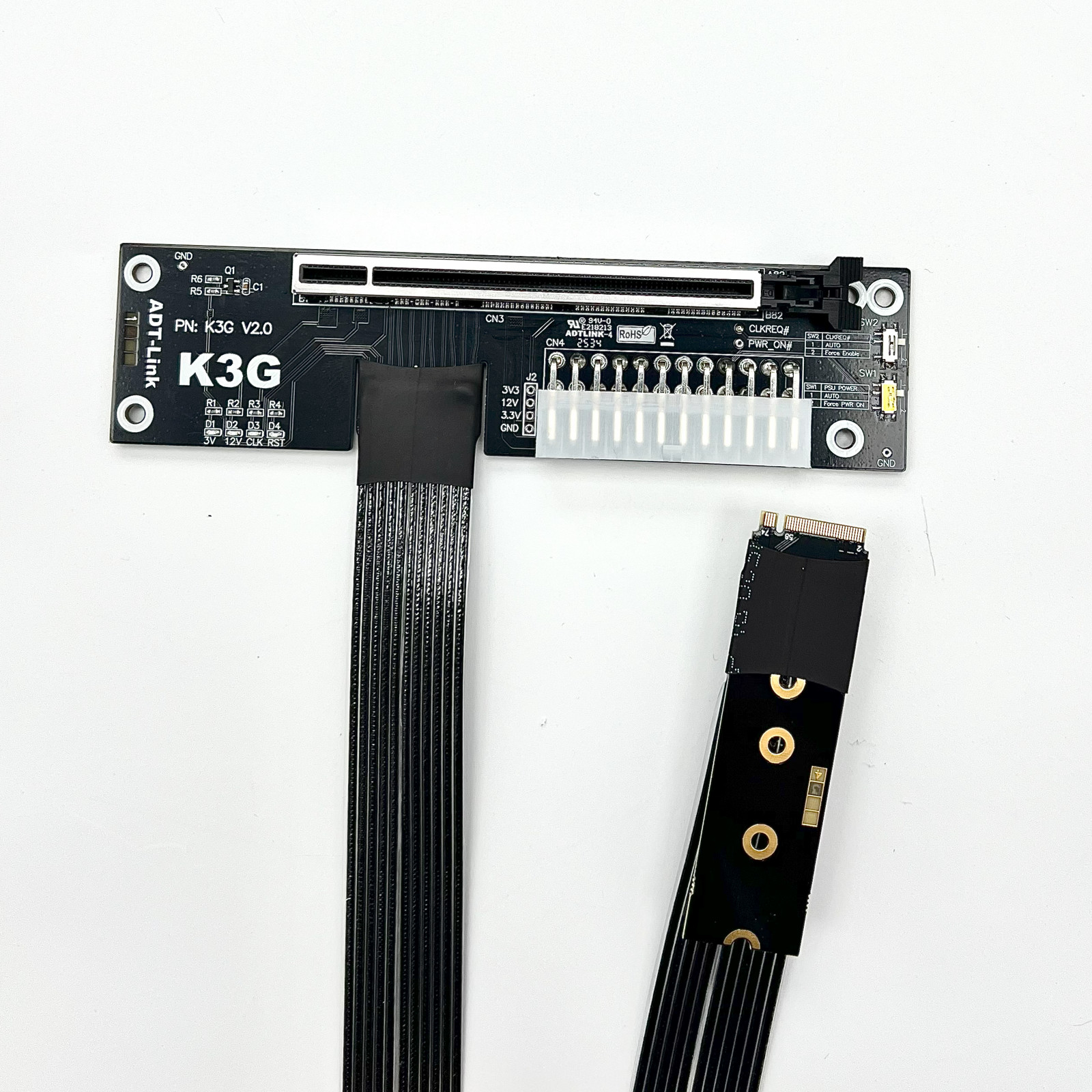
SW1 is the power forced start switch. 1 is for automatic start, and 2 is for forced start. Please switch to 1 for automatic start.
SW2: Some older graphics cards (5 years old) do not support the CLKREQ signal. If the CLKREQ indicator light is not on, simply toggle the SW2 micro switch to 2. No BIOS settings are needed, improving compatibility and convenience.
Does it support internal display? Is there any performance loss?
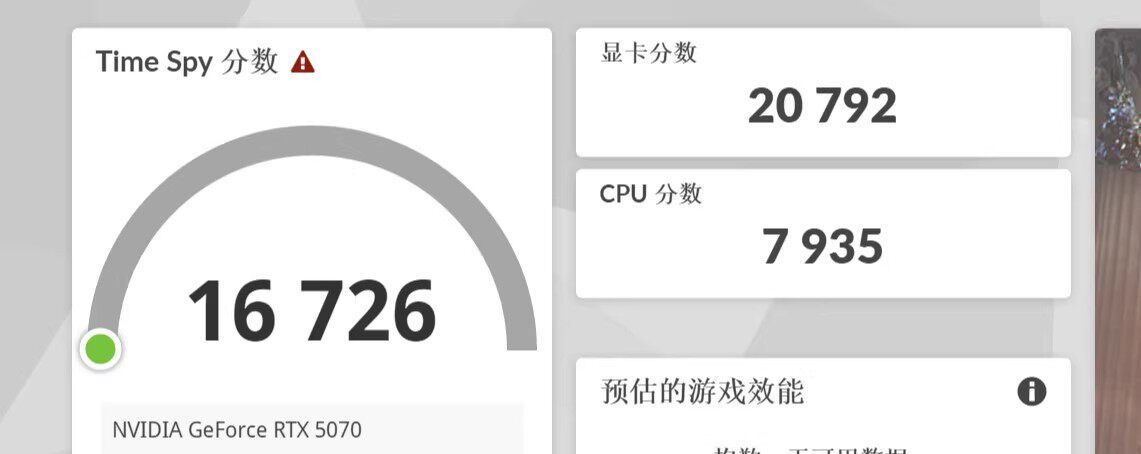
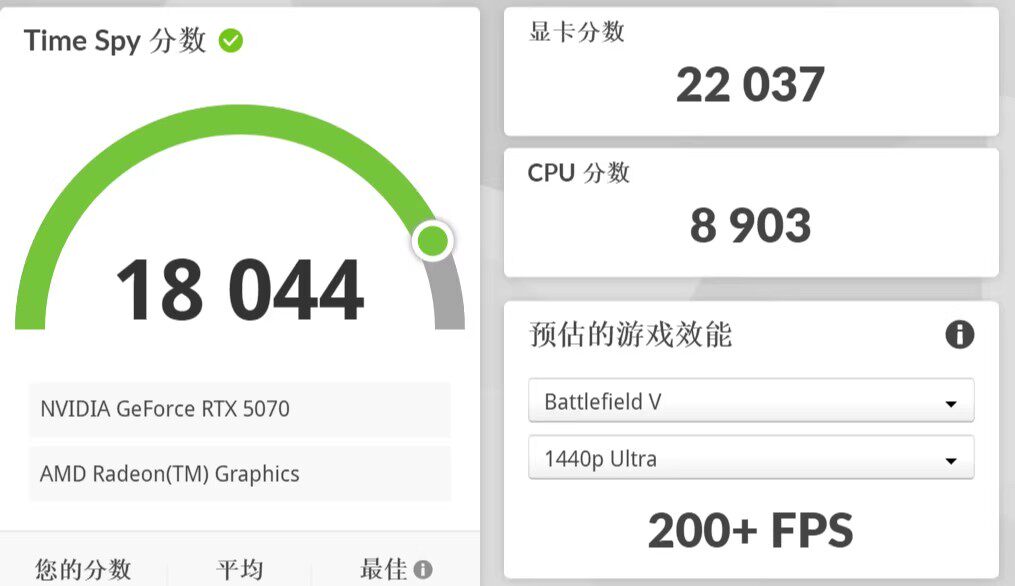
When connecting an external graphics card, it is recommended to connect an HDMI or DP cable to the graphics card to ensure external display output. Actual performance testing shows an improvement of approximately 6% compared to internal display output.
3DMark benchmark data for an external 5070 connected to an internal display via a graphics card dock
3DMark benchmark data for an external 5070 connected to an external display via a graphics card dock
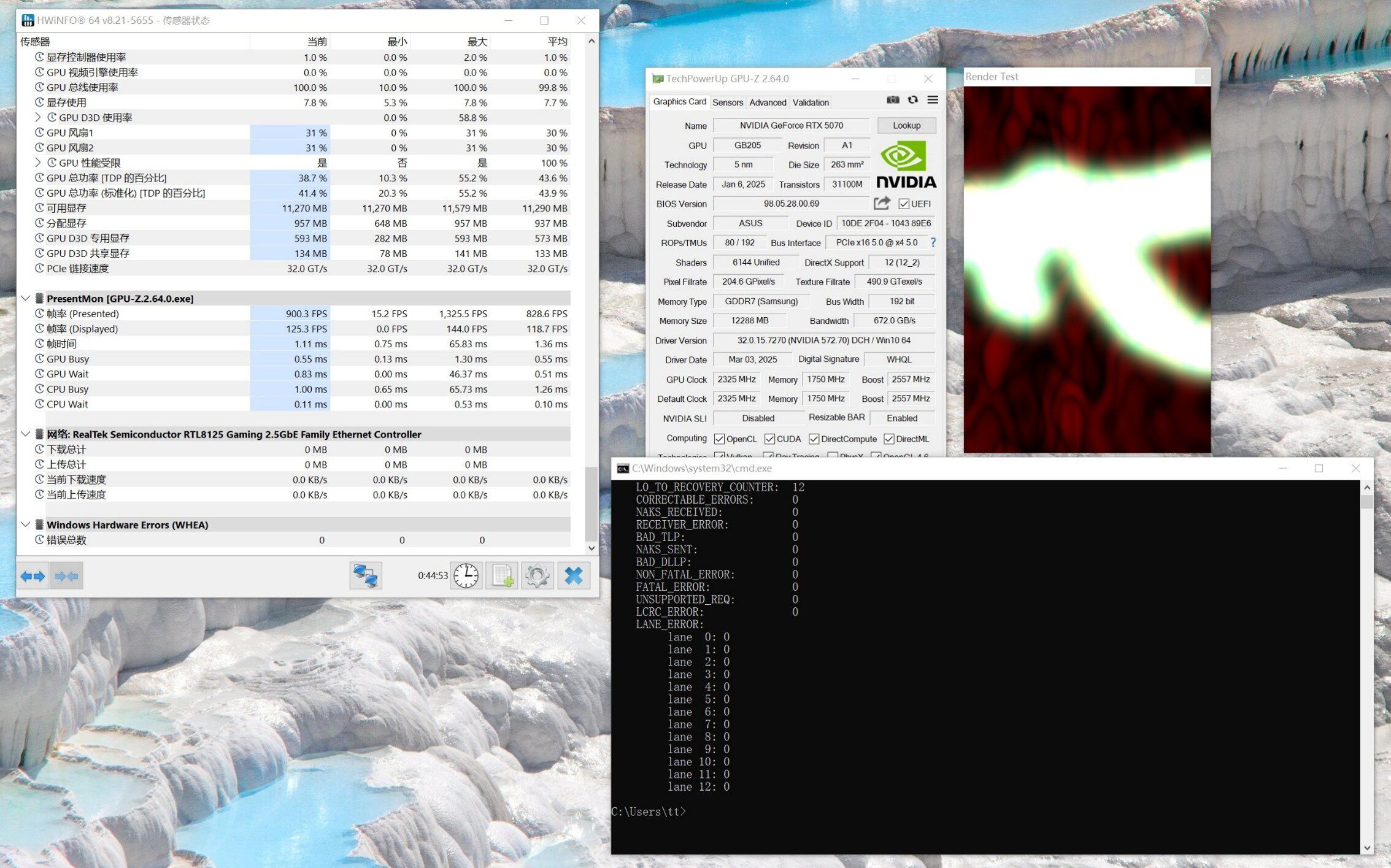
Does the K43SG-BK support PCIe 5.0 x4 full speed?
Yes, it supports PCIe 5.0 x4 full speed stably. The following image shows the test results:
Which graphics cards does the ADT K3G support? Which version of the graphics card driver should I install? A yellow exclamation mark appears in Device Manager for the display adapter! How do I fix it?
It supports all PCIe graphics cards from the last three years. Make sure to install the latest driver from the NVIDIA website. If a yellow exclamation mark appears, reinstall the driver and restart your computer.
If the yellow exclamation mark (error code 43 or code 12) still appears, please refer to the solution provided by the expert nando. The patch can be downloaded here:
https://egpu.io/nvidia-error43-fixer
Photo:
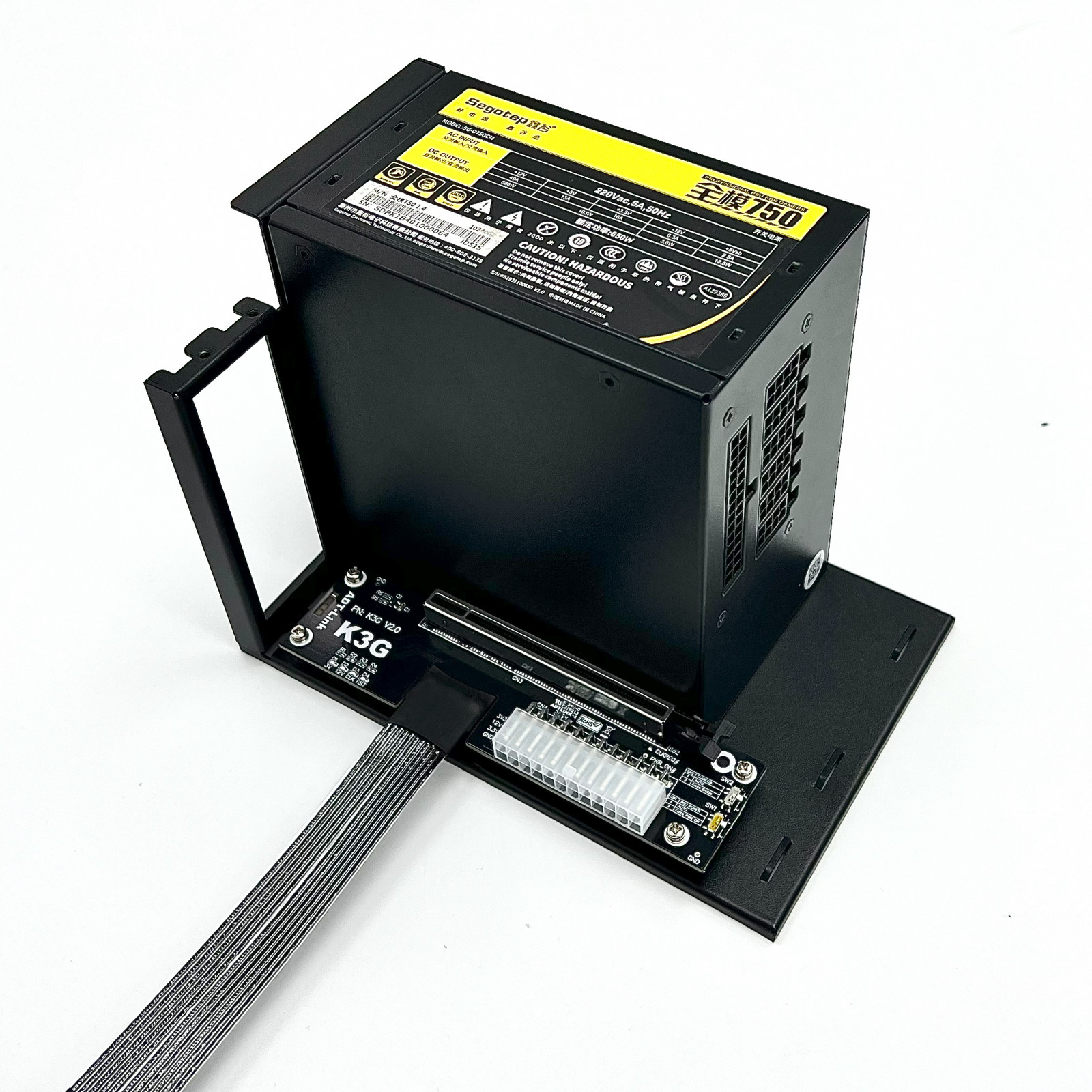
FTP: Los Angeles
3D Step & 3D PDF files download https://www.adt.link/download/ADT_K43SG_3D.zip
FTP: Hong Kong
3D Step & 3D PDF files download https://www.adtlink.cn/download/ADT_K43SG_3D.zip
Related Products
Categories
- PCIe x1 Extension Cable
- PCIe x4 Extension Cable
- PCIe x8 Extension Cable
- PCIe x16 Extension Cable
- M.2 NVMe Extension Cable
- M.2 WiFi Extension Cable
- mini-PCIe Extension Cable
- OCuLink/AI Cable
- PCIe/USB Adapter
- GPU Extension Cable
- HDMI Extension Cable
- DP Extension Cable
- SD Card Extension Cable
- USB Extension Cable
- CFexpress Extension Cable
- FPC Extension Cable
- Other
- Discontinued
Latest News
Contact Us
Contact: adt-sales@adt.link
Phone: +86-13917664762
Tel: 021-65312041
Add: